
Pi Agent and Kiro
npm install -g --ignore-scripts @earendil-works/pi-coding-agentpi install npm:pi-provider-kiropi
/login kiro
/model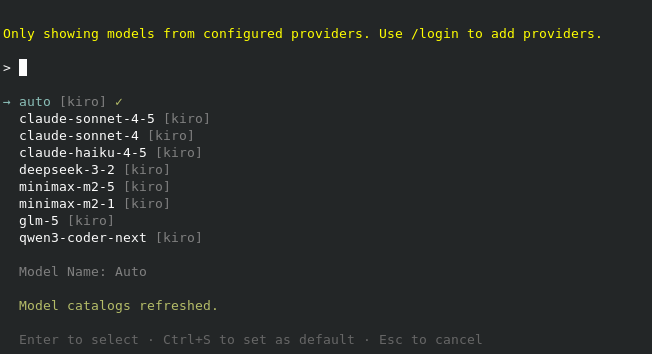
and we’re ready to go ….
Kiro and IntelliJ
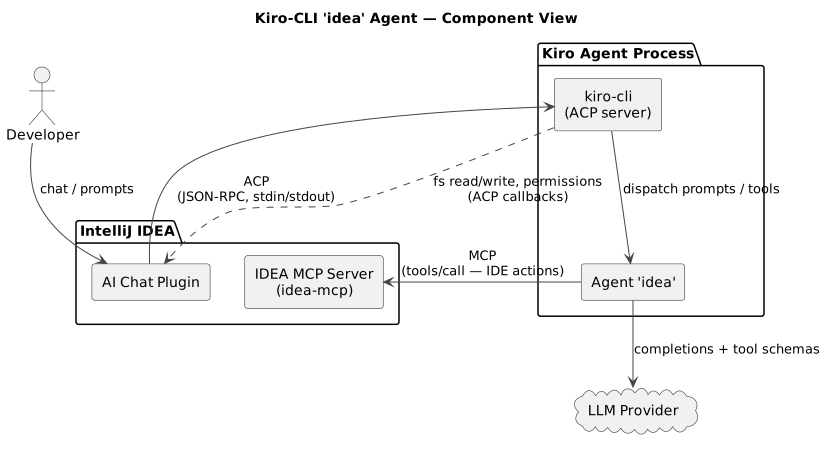
Integrate into IntelliJ using ACP
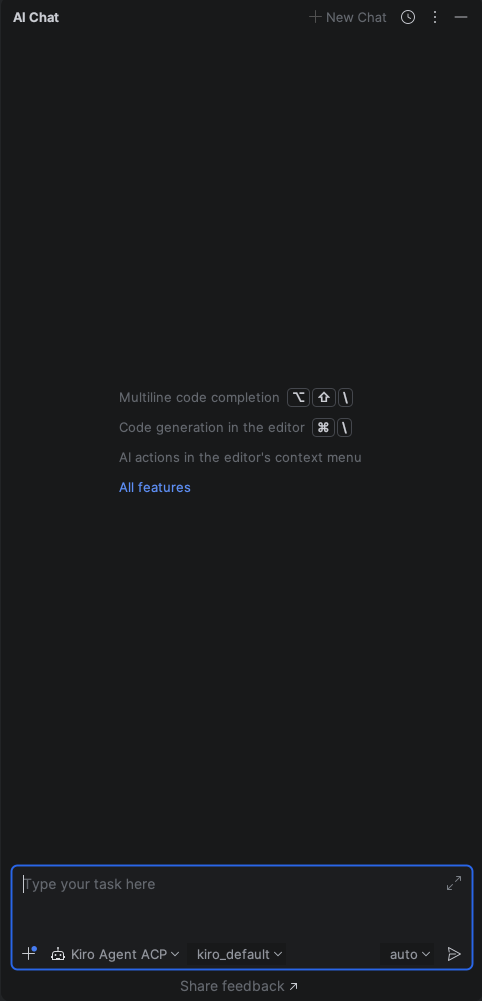
We just need to add the following config as ~/.jetbrains/acp.json, restart IntelliJ and we’re ready to go.
{
  "default_mcp_settings": {},
  "agent_servers": {
    "Kiro Agent ACP": {
      "command": "/Users/<USER>/.local/bin/kiro-cli",
      "args": ["acp"]
    }
  }
}
Defining an agent to use the IntelliJ MCP Server
First of all, we need to activate the Intellij MCP Server:
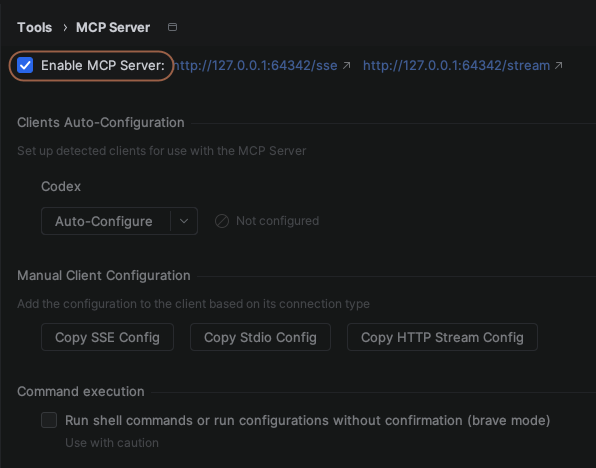
Then we’re defining a new agent named idea by creating the file ~/.kiro/agents/idea.json.
There we allow to use the non-risky tools of the IntelliJ MCP Server also as some basic git commands and finally we also add the configuration to access the Intellij MCP server.
One personal thing: I hate it when a tool opens a new terminal window in intellij, so I added a execute_terminal_command deny for it in the MCP configuration.
{
  "name": "idea",
  "description": "Custom default agent for working with intellij mcp",
  "tools": [
    "*"
  ],
  "allowedTools": [
    "@idea/search_in_files_by_text",
    "@idea/search_in_files_by_regex",
    "@idea/search_text",
    "@idea/search_regex",
    "@idea/search_symbol",
    "@idea/search_file",
    "@idea/execute_run_configuration",
    "@idea/find_files_by_name_keyword",
    "@idea/find_files_by_glob",
    "@idea/get_file_text_by_path",
    "@idea/read_file",
    "@idea/get_file_problems",
    "@idea/get_symbol_info",
    "@idea/get_document_symbols",
    "@idea/get_all_open_file_paths",
    "@idea/list_directory_tree",
    "@idea/get_project_modules",
    "@idea/get_project_dependencies",
    "@idea/get_repositories",
    "@idea/get_run_configurations",
    "@idea/build_project",
    "@idea/generate_psi_tree",
    "@idea/generate_inspection_kts_api",
    "@idea/generate_inspection_kts_examples",
    "read",
    "grep",
    "glob",
    "code"
  ],
  "toolsSettings": {
    "shell": {
      "allowedCommands": [
        "git diff",
        "git status",
        "git log",
        "git branch",
        "git show",
        "git blame"
      ],
      "autoAllowReadonly": true
    }
  },
  "mcpServers": {
    "idea": {
      "type": "http",
      "url": "http://127.0.0.1:64342/stream",
      "disabledTools": [
        "execute_terminal_command"
      ]
    }
  }
}
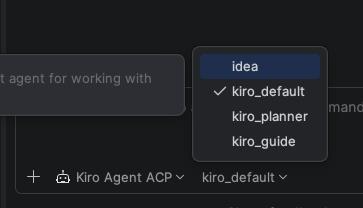
Now we’re ready to use this agent in the IntelliJ AI Chat:
Orchestrating work between subagents using an orchestrator agent
Remember Context or conversational state
There are different ways to store state exceeding the lifetime of a kiro session …
Load and save Chats
/chat save [name]| Saving without a name saves the chat using an automated timestamp |
/chat loadUsing Knowledge Base
kiro-cli settings chat.enableKnowledge true/knowledge add --name "mein-projekt" --path /pfad/zum/projektTODO-Lists
kiro-cli settings chat.enableTodoList trueTODO-Listen are stored in .kiro/cli-todo-lists/
/todos resumeAgent-specific configuration
Configure an agent with persistent information:
{
  "resources": [
    {
      "type": "knowledgeBase",
      "source": "file://./docs",
      "name": "Dokumentation",
      "autoUpdate": true
    }
  ]
}
These are loaded automatically when the designated agent is used
Checkpoints
kiro-cli settings chat.enableCheckpoint trueCosts and Usage
Usage
/usage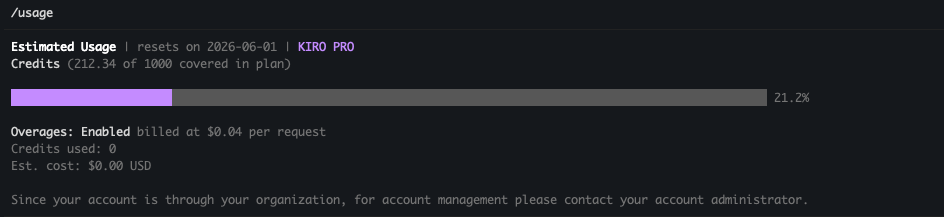
Analyze Context
/context