Single Class Java HTTP Client with Proxy and SSL/TLS Keystore Settings

Sometimes this is useful for the diagnosis of configuration and network problems of ones Java application. This is our single-class HTTP client example without the need for external dependencies: HttpTest.java import javax.net.ssl.KeyManagerFactory; import javax.net.ssl.SSLContext; import javax.net.ssl.TrustManagerFactory; import java.io.FileInputStream; import java.io.IOException; import java.net.InetSocketAddress; import java.net.ProxySelector; import java.net.URI; import java.net.URISyntaxException; import java.net.http.HttpClient; import java.net.http.HttpRequest; import java.net.http.HttpRequest.BodyPublishers; import java.net.http.HttpResponse; import java.net.http.HttpResponse.BodyHandlers; import java.security.KeyManagementException; import java.security.KeyStore; import java.security.KeyStoreException; import java.security.NoSuchAlgorithmException; import java.security.UnrecoverableKeyException; import java.security.cert.CertificateException; import java.time.Duration; import java.time.temporal.ChronoUnit; public class HttpTest { public static void main(String[] args) throws URISyntaxException, NoSuchAlgorithmException, KeyManagementException, KeyStoreException, UnrecoverableKeyException, IOException, CertificateException { String bodyPayload = """ ourpayload, json, xml, ... """; String keyStorePath = "/opt/keystore.jks"; String keyStorePassword = "ABCDEFG"; String proxyHost = "ourproxy.proxy"; String uriString = "https://some-service/api"; int proxyPort = 8080; int timeoutInSeconds = 60; KeyStore keyStore = KeyStore.getInstance("JKS"); keyStore.load(new FileInputStream(keyStorePath), keyStorePassword.toCharArray()); KeyManagerFactory keyManagerFactory = KeyManagerFactory.getInstance("PKIX"); keyManagerFactory.init(keyStore, null); TrustManagerFactory trustManagerFactory = TrustManagerFactory.getInstance("PKIX"); // using same keystore for both trustManagerFactory.init(keyStore); SSLContext sslContext = SSLContext.getInstance("TLS"); sslContext.init(keyManagerFactory.getKeyManagers(), trustManagerFactory.getTrustManagers(), null); HttpClient client = HttpClient.newBuilder() .proxy( ProxySelector.of(new InetSocketAddress(proxyHost, proxyPort))) .sslContext(sslContext) .build(); URI uri = new URI(uriString); HttpRequest request = HttpRequest.newBuilder(uri) .POST(BodyPublishers.ofString(bodyPayload)) .timeout(Duration.of(timeoutInSeconds, ChronoUnit.SECONDS)) .build(); System.out.printf("Sending POST request to %s, timeout: %ds%n", uri, timeoutInSeconds); try { HttpResponse response = client.send(request, BodyHandlers.ofString()); System.out.println("Response received..."); System.out.printf("\tResponse-Status: %d%n", response.statusCode()); System.out.printf("\tResponse-Body: %s%n", response.body()); System.out.println("-------------------------------------%n"); } catch (IOException e) { System.err.printf("IOException caught: %s%n", e.getMessage()); e.printStackTrace(System.err); } catch (InterruptedException e) { System.err.printf("IOException caught: %s%n", e.getMessage()); e.printStackTrace(System.err); } } } ...
August 2, 2022 · 2 min · 253 words · Micha Kops

Prettier Code Formatter Configuration

Goals Setup Prettier for different environments / IDEs Run Prettier via git hooks Install Prettier Install via npm npm install --save-dev --save-exact prettier Add empty configuration file echo {}> .prettierrc.json Create Prettier ignore file .prettierignore: # Ignore artifacts: build coverage Format all project files with Prettier: npx prettier --write . Git Hooks Adding the following lines to the project’s package-json makes ESLint and Prettier run before each commit: { "husky": { "hooks": { "pre-commit": "lint-staged" } }, "lint-staged": { "**/*": "prettier --write --ignore-unknown" } } ...

May 14, 2021 · 1 min · 90 words · Micha Kops

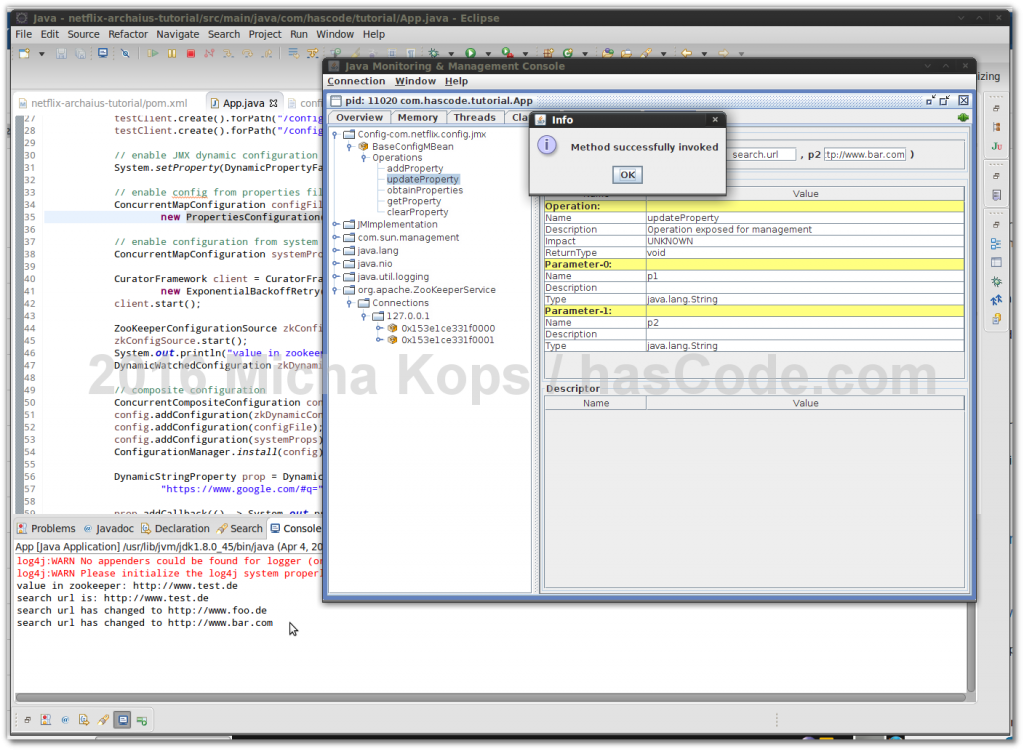
Dynamic Configuration Management with Netflix Archaius and Apache ZooKeeper, Property-Files, JMX

Though having written about other configuration management libraries for Java before, I would like to demonstrate another one today: Netflix Archaius. Archaius offers some nice features like dynamic typed properties, thread-safe operations, an event system for property changes/updates, a JMX MBean to read and update properties and adaptors for a variety of dynamic configuration sources like Amazon DynamoDB, JDBC, URLs and Apache ZooKeeper. In the following tutorial I’d like to demonstrate how to read and update application configuration properties with Archaius and data sources like property-files, system-properties, JMX and Apache ZooKeeper. ...

April 13, 2016 · 4 min · 713 words · Micha Kops

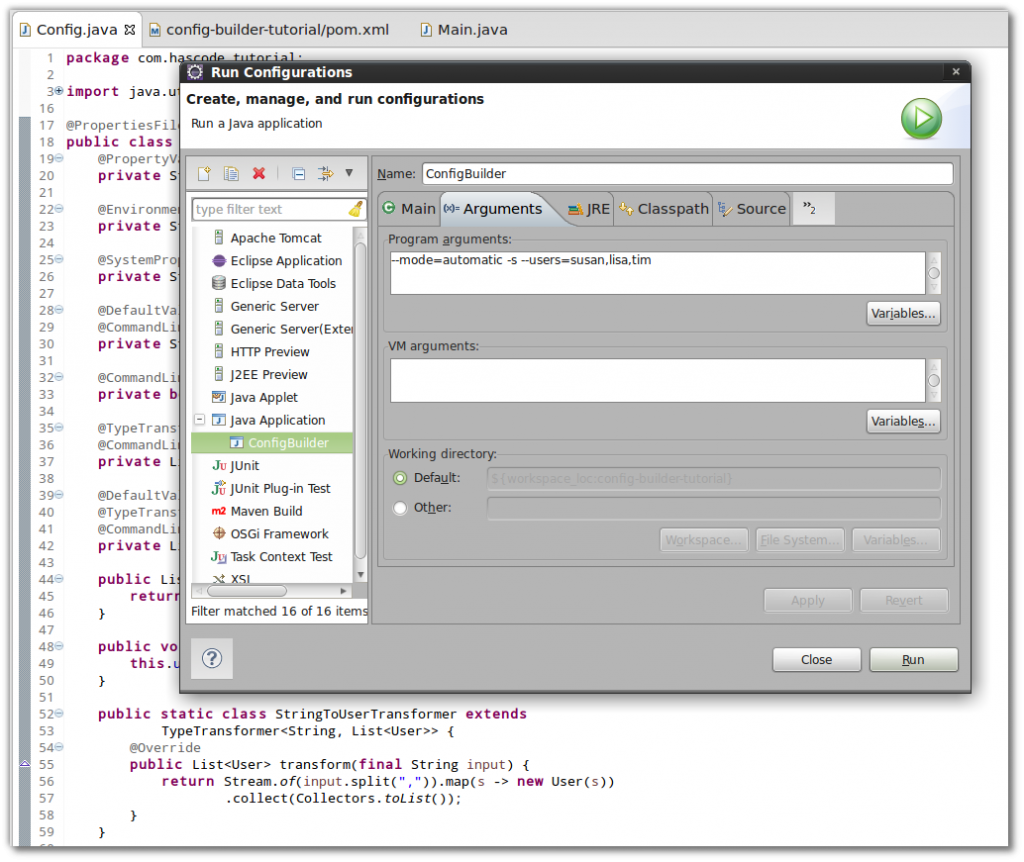
Using Java Config-Builder to assemble your Application Configuration

There’s a variety of configuration frameworks to use in our Java applications. Java Config Builder is one of them and it offers some nice features that I would like to demonstrate in the following short examples as are: Loading values from different sources like property-files, environment variables, command-line-arguments or system properties, specifying default values, mapping arbitrary types or collections, merging configurations and using the Java Bean Validation standard aka JSR-303. ...

May 20, 2014 · 6 min · 1198 words · Micha Kops

Apache Webserver Snippets

Deny all methods excepting POST and GET RewriteCond %{REQUEST_METHOD} ^(TRACE|TRACK|OPTIONS|HEAD) RewriteRule .* - [F] Rewrite all aliases for a domain to a single domain RewriteEngine On RewriteCond %{HTTP_HOST} ^(www\.)?mydomain1\.com [NC,OR] RewriteCond %{HTTP_HOST} ^(www\.)?mydomain2\.com [NC,OR] RewriteCond %{HTTP_HOST} ^(www\.)?mydomain3\.com [NC,OR] RewriteRule (.*) http://mydomain.com/$1 [R=301,L]

March 1, 2010 · 1 min · 42 words · Micha Kops

Git Snippets

Show commits from another branch not contained in current branch git cherry -v otherbranch + f7d6a569bb6912aac97fce9ac92c4302863fb0d9 thecommit Find deleted files git log --diff-filter=D --summary Create empty commit sometimes necessary for build/deploy pipelines …​ git commit --allow-empty -m "Empty-Commit" Cherry pick without commit git cherry-pick -n HASH Using vimdiff for diff set it via git config git config --global diff.tool vimdiff git config --global merge.tool vimdiff set it via ~/.gitconfig [diff] tool = vimdiff [merge] tool = vimdiff ...

March 1, 2010 · 4 min · 848 words · Micha Kops

GitHub Snippets

GitHub Actions Step to check variables and redistribute as env The following step does .. check of given variables are set, if not, exit with an error that is visible in the action’s log provide the given input as environment variable in GITHUB_ENV - name: configuration env: VAR1: ${{ needs.configure.outputs.something }} VAR2: ${{ vars.SOMETHING_OTHER }}/ VAR3: "something_other_other" run: | for var in VAR1 VAR2 VAR3; do [ -n "${!var}" ] || { echo "$var is missing"; exit 1; }; echo "$var=${!var}" >> "$GITHUB_ENV"; done ...

March 1, 2010 · 1 min · 189 words · Micha Kops

GitLab Snippets

Generate AsciiDoc Documentation and Publish it with GitLab Pages We setup a repository and add a directory named docs there .. this is the home of our AsciiDoc files. We’re using asciidoctor/docker-asciidoctor as Docker image for tool provisioning This is the .gitlab-ci.yml, we’re running the stage only when something in the docs directory has changed. stages: - "Build docs" # The name of the job activates the GitLab pages publication pages: image: asciidoctor/docker-asciidoctor stage: "Build docs" tags: - build script: - sh ./gen_docs.sh - mv output public only: refs: - master changes: - /docs/* artifacts: paths: - public expose_as: 'Documentation Archive' ...

March 1, 2010 · 1 min · 186 words · Micha Kops

Kubernetes Snippets

Fetch and Decode Secret You need to have jq installed to use this snippet! kubectl --context=my-context -n my-namespace get secret my-secret-name -o json | jq '.data | map_values(@base64d)' Rerun existing completed Job kubectl replace deletes the old job, if there is any error, your job definition is lost, don’t forget to save it first! Replace an existing Job with itself kubectl get job JOBNAME -o yaml | kubectl replace --force -f - ...

March 1, 2010 · 10 min · 2064 words · Micha Kops

Postgres Snippets

Administration & Configuration Connections Show Max Connections (value and source) SELECT setting, source, sourcefile, sourceline FROM pg_settings WHERE name = 'max_connections'; Set Max Connections ALTER system SET max_connections = 250; Kill Connections for a Database SELECT pg_terminate_backend(pid) FROM pg_catalog.pg_stat_activity -- we don't want to kill our own connection WHERE pid != pg_backend_pid() -- we don't want to kill connections to other databases AND datname = 'MYDATABASE' Show Statement Timeout Settings for All Users SELECT r.rolname, (SELECT unnest(s.setconfig) FROM pg_db_role_setting s WHERE s.setrole = r.oid AND s.setconfig::text LIKE '%statement_timeout%' LIMIT 1) AS statement_timeout FROM pg_roles r WHERE r.rolcanlogin ORDER BY r.rolname; ...

March 1, 2010 · 12 min · 2415 words · Micha Kops