Kafka Java Quickstart with Docker

Goals Setup Kafka and Zookeeper with Docker and docker-compose Create a message consumer and producer in Java Kafka Setup We’re using docker-compose to set up our message broker, zookeper and other stuff using confluent-platform. This is our docker-compose.yaml config file from Confluent’s following GitHub repository. docker-compose.yaml --- version: '2' services: zookeeper: image: confluentinc/cp-zookeeper:7.0.1 hostname: zookeeper container_name: zookeeper ports: - "2181:2181" environment: ZOOKEEPER_CLIENT_PORT: 2181 ZOOKEEPER_TICK_TIME: 2000 broker: image: confluentinc/cp-kafka:7.0.1 hostname: broker container_name: broker depends_on: - zookeeper ports: - "29092:29092" - "9092:9092" - "9101:9101" environment: KAFKA_BROKER_ID: 1 KAFKA_ZOOKEEPER_CONNECT: 'zookeeper:2181' KAFKA_LISTENER_SECURITY_PROTOCOL_MAP: PLAINTEXT:PLAINTEXT,PLAINTEXT_HOST:PLAINTEXT KAFKA_ADVERTISED_LISTENERS: PLAINTEXT://broker:29092,PLAINTEXT_HOST://localhost:9092 KAFKA_OFFSETS_TOPIC_REPLICATION_FACTOR: 1 KAFKA_TRANSACTION_STATE_LOG_MIN_ISR: 1 KAFKA_TRANSACTION_STATE_LOG_REPLICATION_FACTOR: 1 KAFKA_GROUP_INITIAL_REBALANCE_DELAY_MS: 0 KAFKA_JMX_PORT: 9101 KAFKA_JMX_HOSTNAME: localhost schema-registry: image: confluentinc/cp-schema-registry:7.0.1 hostname: schema-registry container_name: schema-registry depends_on: - broker ports: - "8081:8081" environment: SCHEMA_REGISTRY_HOST_NAME: schema-registry SCHEMA_REGISTRY_KAFKASTORE_BOOTSTRAP_SERVERS: 'broker:29092' SCHEMA_REGISTRY_LISTENERS: http://0.0.0.0:8081 connect: image: cnfldemos/kafka-connect-datagen:0.5.0-6.2.0 hostname: connect container_name: connect depends_on: - broker - schema-registry ports: - "8083:8083" environment: CONNECT_BOOTSTRAP_SERVERS: 'broker:29092' CONNECT_REST_ADVERTISED_HOST_NAME: connect CONNECT_GROUP_ID: compose-connect-group CONNECT_CONFIG_STORAGE_TOPIC: docker-connect-configs CONNECT_CONFIG_STORAGE_REPLICATION_FACTOR: 1 CONNECT_OFFSET_FLUSH_INTERVAL_MS: 10000 CONNECT_OFFSET_STORAGE_TOPIC: docker-connect-offsets CONNECT_OFFSET_STORAGE_REPLICATION_FACTOR: 1 CONNECT_STATUS_STORAGE_TOPIC: docker-connect-status CONNECT_STATUS_STORAGE_REPLICATION_FACTOR: 1 CONNECT_KEY_CONVERTER: org.apache.kafka.connect.storage.StringConverter CONNECT_VALUE_CONVERTER: io.confluent.connect.avro.AvroConverter CONNECT_VALUE_CONVERTER_SCHEMA_REGISTRY_URL: http://schema-registry:8081 CONNECT_PLUGIN_PATH: "/usr/share/java,/usr/share/confluent-hub-components" CONNECT_LOG4J_LOGGERS: org.apache.zookeeper=ERROR,org.I0Itec.zkclient=ERROR,org.reflections=ERROR ksqldb-server: image: confluentinc/cp-ksqldb-server:7.0.1 hostname: ksqldb-server container_name: ksqldb-server depends_on: - broker - connect ports: - "8088:8088" environment: KSQL_CONFIG_DIR: "/etc/ksql" KSQL_BOOTSTRAP_SERVERS: "broker:29092" KSQL_HOST_NAME: ksqldb-server KSQL_LISTENERS: "http://0.0.0.0:8088" KSQL_CACHE_MAX_BYTES_BUFFERING: 0 KSQL_KSQL_SCHEMA_REGISTRY_URL: "http://schema-registry:8081" KSQL_PRODUCER_INTERCEPTOR_CLASSES: "io.confluent.monitoring.clients.interceptor.MonitoringProducerInterceptor" KSQL_CONSUMER_INTERCEPTOR_CLASSES: "io.confluent.monitoring.clients.interceptor.MonitoringConsumerInterceptor" KSQL_KSQL_CONNECT_URL: "http://connect:8083" KSQL_KSQL_LOGGING_PROCESSING_TOPIC_REPLICATION_FACTOR: 1 KSQL_KSQL_LOGGING_PROCESSING_TOPIC_AUTO_CREATE: 'true' KSQL_KSQL_LOGGING_PROCESSING_STREAM_AUTO_CREATE: 'true' ksqldb-cli: image: confluentinc/cp-ksqldb-cli:7.0.1 container_name: ksqldb-cli depends_on: - broker - connect - ksqldb-server entrypoint: /bin/sh tty: true ksql-datagen: image: confluentinc/ksqldb-examples:7.0.1 hostname: ksql-datagen container_name: ksql-datagen depends_on: - ksqldb-server - broker - schema-registry - connect command: "bash -c 'echo Waiting for Kafka to be ready... && \ cub kafka-ready -b broker:29092 1 40 && \ echo Waiting for Confluent Schema Registry to be ready... && \ cub sr-ready schema-registry 8081 40 && \ echo Waiting a few seconds for topic creation to finish... && \ sleep 11 && \ tail -f /dev/null'" environment: KSQL_CONFIG_DIR: "/etc/ksql" STREAMS_BOOTSTRAP_SERVERS: broker:29092 STREAMS_SCHEMA_REGISTRY_HOST: schema-registry STREAMS_SCHEMA_REGISTRY_PORT: 8081 rest-proxy: image: confluentinc/cp-kafka-rest:7.0.1 depends_on: - broker - schema-registry ports: - 8082:8082 hostname: rest-proxy container_name: rest-proxy environment: KAFKA_REST_HOST_NAME: rest-proxy KAFKA_REST_BOOTSTRAP_SERVERS: 'broker:29092' KAFKA_REST_LISTENERS: "http://0.0.0.0:8082" KAFKA_REST_SCHEMA_REGISTRY_URL: 'http://schema-registry:8081' ...
January 29, 2022 · 8 min · 1500 words · Micha Kops

Install Docker on Linux

Goals Installing a specific Docker version on (Debian-based) Linux Freeze the version to avoid automatic updates Installation curl -fsSL https://download.docker.com/linux/ubuntu/gpg | sudo apt-key add - (1) sudo add-apt-repository \ (2) "deb [arch=amd64] https://download.docker.com/linux/ubuntu \ $(lsb_release -cs) \ stable" sudo apt-get update (3) sudo apt-get install -y docker-ce=18.06.1~ce~3-0~ubuntu (4) sudo apt-mark hold docker-ce (5) 1 Add the Docker GPG key 2 Add the Docker repository 3 Update the index 4 Install docker 5 Freeze the version to avoid unwanted automatic updates ...

May 14, 2021 · 1 min · 86 words · Micha Kops

MySQL and phpMyAdmin Setup with Docker-Compose

Goals Setup mySQL with phpMyAdmin connected using docker-compose (for development purpose) Prerequisites docker-compose installed Setup This is our docker-compose.yml: version: '3.2' services: db: image: mysql:8.0 container_name: mysql-container restart: always ports: - '6603:3306' environment: MYSQL_ROOT_PASSWORD: 12345678 app: depends_on: - db image: phpmyadmin/phpmyadmin container_name: phpmyadmin restart: always ports: - '8080:80' environment: PMA_HOST: db Running docker-compose up Starting mysql-container ... done Starting phpmyadmin ... done Attaching to mysql-container, phpmyadmin [..] We may now login using the following ultra-secure credentials ;) User: root, Password: 12345678 ...

May 14, 2021 · 1 min · 81 words · Micha Kops

WordPress Docker Setup

Goals Run WordPress via Docker / Docker-Compose Increase the Upload Filesize Limit Create Docker Compose Configuration Create a docker-compose.yml: version: '3.1' services: wordpress: image: wordpress restart: always ports: - 8080:80 environment: WORDPRESS_DB_HOST: db WORDPRESS_DB_USER: exampleuser WORDPRESS_DB_PASSWORD: examplepass WORDPRESS_DB_NAME: exampledb volumes: - wordpress:/var/www/html db: image: mysql:5.7 restart: always environment: MYSQL_DATABASE: exampledb MYSQL_USER: exampleuser MYSQL_PASSWORD: examplepass MYSQL_RANDOM_ROOT_PASSWORD: '1' volumes: - db:/var/lib/mysql volumes: wordpress: db: Run Docker Compose / Start Containers docker-compose up WARNING: Found orphan containers (wordpress-docker_phpmyadmin_1) for this project. If you removed or renamed this service in your compose file, you can run this command with the --remove-orphans flag to clean it up. Starting wordpress-docker_db_1 ... done Starting wordpress-docker_wordpress_1 ... done Attaching to wordpress-docker_db_1, wordpress-docker_wordpress_1 [..] db_1 | 2021-04-03T18:58:17.247963Z 0 [Note] mysqld: ready for connections. db_1 | Version: '5.7.33' socket: '/var/run/mysqld/mysqld.sock' port: 3306 MySQL Community Server (GPL) ...

May 14, 2021 · 1 min · 204 words · Micha Kops

AsciiDoc Snippets

AsciiDoc Syntax and Features Using AsciiMath Include stem into document header :stem: Then use inline, e.g.: stem:[sqrt(4) = 2] or as block [stem] ++++ sum_(i=1)^n i^3=((n(n+1))/2)^2 ++++ AsciiMath Syntax Collapsible Blocks/Sections .Click to show the content [%collapsible] ==== Long content here... ==== Source: Asciidoctor Docs Tools and Ecosystem Docker / Podman Container Including stuff like: Asciidoctor Asciidoctor Diagram with ERD and Graphviz integration (supports plantuml and graphiz diagrams) Asciidoctor PDF Asciidoctor EPUB3 Asciidoctor FB2 Asciidoctor Mathematical Asciidoctor reveal.js AsciiMath Source highlighting using Rouge, CodeRay or Pygments Asciidoctor Confluence Asciidoctor Bibtex Asciidoctor Kroki Asciidoctor Reducer ...

May 10, 2019 · 1 min · 171 words · Micha Kops

Annotation based Kubernetes and Openshift Manifests for Java Applications with ap4k

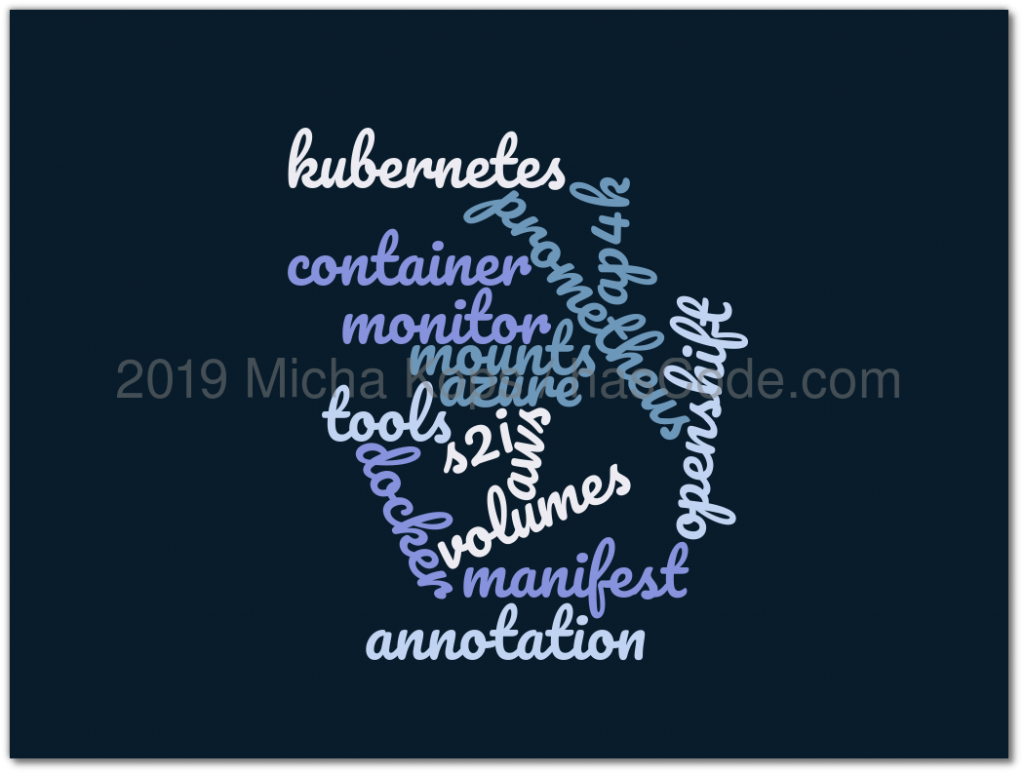
Writing our manifest files for Kubernetes / Openshift often forces us to edit xml, json and yml files by hand. A new library, ap4k allows to specify metadata for these manifest files directly in our Java code using annotations. In the following short example I am going to demonstrate how to generate manifest files using Maven and ap4k. Figure 1. ap4k Tutorial Dependencies Using Maven we just need to add the following one dependency to our project’s pom.xml ...

February 28, 2019 · 5 min · 898 words · Micha Kops

Using Throwaway Containers for Integration Testing with Java, JUnit 5 and Testcontainers.

A lot of boilerplate code is written when developers need to test their applications with different connected systems like databases, stream platforms and other collaborators. Docker allows to handle those dependencies but there is still some glue code required to bind the container’s lifecycle and the configuration to the concrete integration test. Testcontainers is a testing library that offers lightweight throwaway instances of anything able to run in a Docker container, with bindings to configure the specific containers and also provides wrappers to manage our own custom containers. ...

January 30, 2019 · 6 min · 1110 words · Micha Kops

Testing Java Applications for Resilience by Simulating Network Problems with Toxiproxy, JUnit and the Docker Maven Plugin

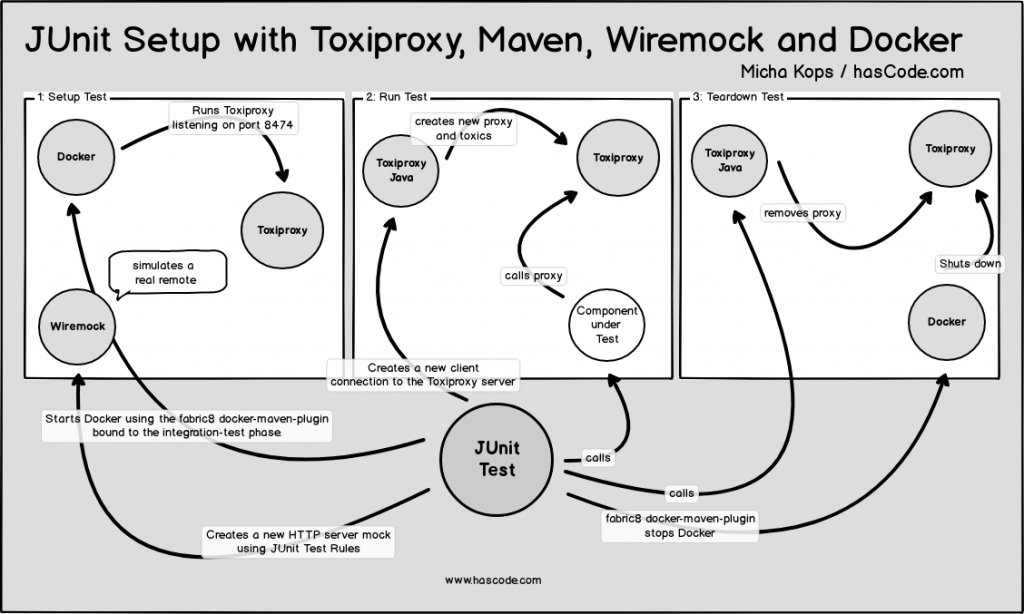
When implementing distributed systems, client-server architectures and simple applications with network related functionalities, everything is fine when we’re in the development or in the testing stage because the network is reliable and the communicating systems are not as stressed as they are in production. But to sleep well we want to validate how resilient we have implemented our systems, how they behave when the network fails, the latency rises, the bandwidth is limited, connections time out and so on. ...

July 29, 2018 · 9 min · 1836 words · Micha Kops

Setting up Kafka Brokers for Testing with Kafka-Unit

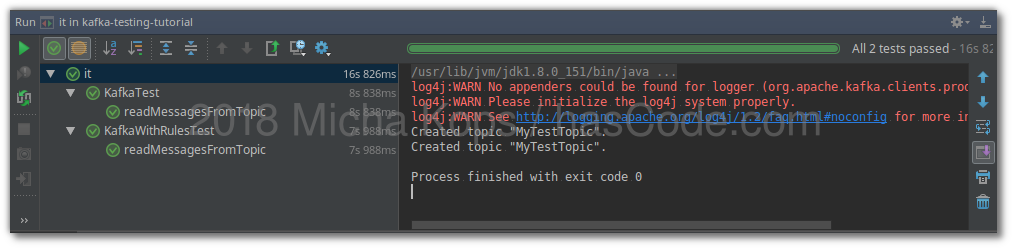
When writing test for applications that interact with Kafka brokers we often need to setup a decent environment including an instance of Kafka and ZooKeeper. Though Kafka ships with some classes for testing, setting up a simple testing environment is quite easier with the kafka-unit library that offers JUnit test rule support or a fast programmatic setup within no time. In the following short example, I’d like to show how create a simple setup using Maven, Surefire and kafka-unit. ...

March 28, 2018 · 4 min · 825 words · Micha Kops

Identity Management, One-Time-Passwords and Two-Factor-Auth with Spring Boot and Keycloak

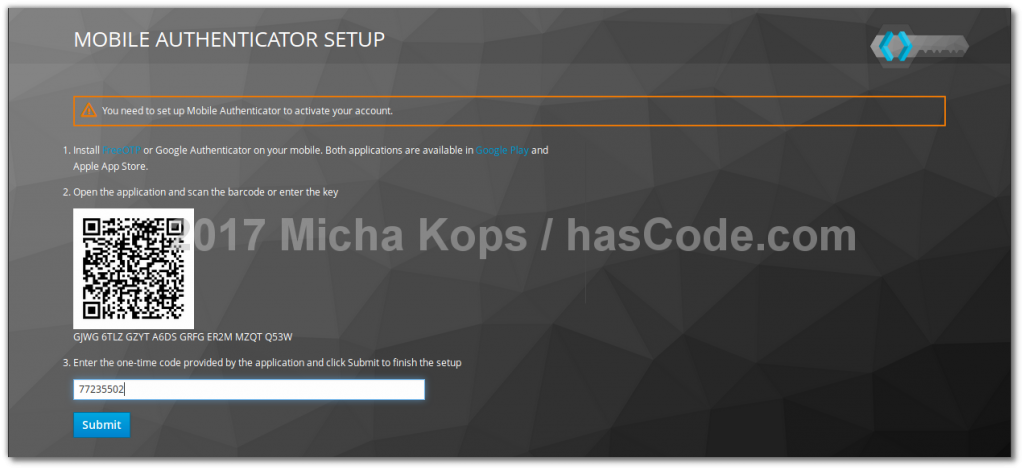
Communicating with identity and access management systems is a common task for many web-applications exposing secured resources. Keycloak is an open source software that provides not also such authorization services but also offers a lot of features from Single-Sign-On, Identity-Brokering, Social-Login, User-Federation, multiple client-adapters up to the administration console or support for protocols like OpenID, SAML, OAuth2, Kerberos and more. I will demonstrate how to integrate a Spring Boot web application with Keycloak and configure an authentication flow that requires a two-factor-authentication with user credentials and also one-time-passwords. ...

November 26, 2017 · 10 min · 1918 words · Micha Kops