IntelliJ Snippets

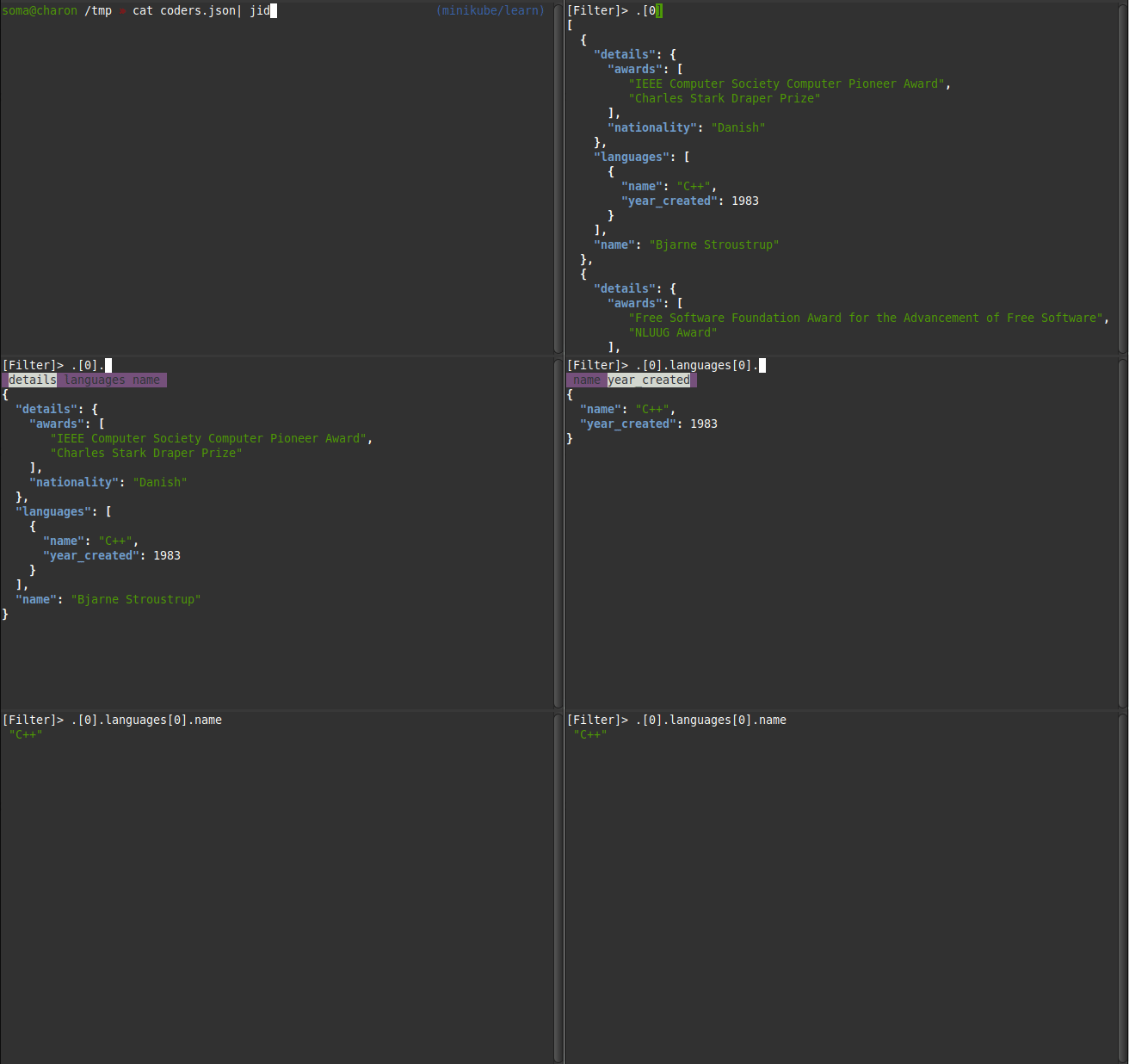
Live Templates JUnit 5 Test @org.junit.jupiter.api.Test @org.junit.jupiter.api.DisplayName("$NAME$") void $METHOD$() throws Exception { $END$ } Figure 1. IntelliJ Live Template Editor Edit Variables: NAME METHOD: default-value camelCase(NAME) Figure 2. Editing template variables SLF4J Logger Template private static final org.slf4j.Logger log = org.slf4j.LoggerFactory.getLogger( $CLASS$.class ); Edit variables: CLASS: expression: className() Favorite Shortcuts Select whole block in Editor Cmd+Tab+Down Select similar blocks in editor Ctrl+G Copy the absolute Path of the current File into Clipboard Cmd+Shift+C ...

March 1, 2010 · 2 min · 341 words · Micha Kops

Java Snippets

Remote Debug a Pod’s Java Process Simple steps for remote debugging a Java process running on a k8 pod: Edit deployment and add the following parameters to the Java start line: -agentlib:jdwp=transport=dt_socket,server=y,suspend=n,address=127.0.0.1:5005 Also add the following port mapping at the section container → ports in the deployment: - containerPort: 5005 protocol: TCP Safe, wait for the new pods and then add a port forward for port 5005 for this pod: kubectl port-forward podname 5005 ...

March 1, 2010 · 13 min · 2599 words · Micha Kops

JavaScript Snippets

Creating a Nodejs Module 1) Create a package.json using npm init $ npm init This utility will walk you through creating a package.json file. It only covers the most common items, and tries to guess sane defaults. See npm help json for definitive documentation on these fields and exactly what they do. Use npm install <pkg> --save afterwards to install a package and save it as a dependency in the package.json file. ...

March 1, 2010 · 3 min · 507 words · Micha Kops

jq Snippets

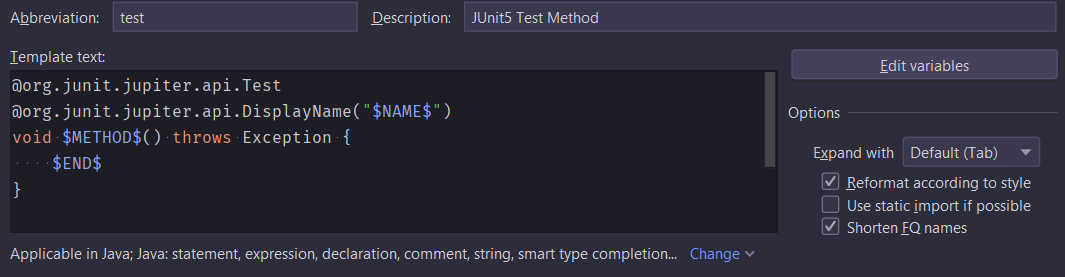
Sample JSON File Sample JSON File containing well known programmers that we use for the following examples coders.json [ { "name": "Bjarne Stroustrup", "languages": [ { "name": "C++", "year_created": 1983 } ], "details": { "nationality": "Danish", "awards": ["IEEE Computer Society Computer Pioneer Award", "Charles Stark Draper Prize"] } }, { "name": "Guido van Rossum", "languages": [ { "name": "Python", "year_created": 1991 } ], "details": { "nationality": "Dutch", "awards": ["Free Software Foundation Award for the Advancement of Free Software", "NLUUG Award"] } }, { "name": "James Gosling", "languages": [ { "name": "Java", "year_created": 1995 } ], "details": { "nationality": "Canadian", "awards": ["Order of Canada", "The Economist Innovation Award"] } }, { "name": "Dennis Ritchie", "languages": [ { "name": "C", "year_created": 1972 }, { "name": "Unix", "year_created": 1969 } ], "details": { "nationality": "American", "awards": ["Turing Award", "National Medal of Technology"] } }, { "name": "Brendan Eich", "languages": [ { "name": "JavaScript", "year_created": 1995 } ], "details": { "nationality": "American", "awards": ["Webby Award"] } } ] ...
March 1, 2010 · 2 min · 284 words · Micha Kops

Kafka Snippets

Start an Image with kcat / kafka-cat for Debugging kubectl -n NAMESPACE run "$(whoami)-debug" -it --rm \ --image=confluentinc/cp-kafkacat:6.1.9 \ --restart=Never \ -- bash Dockerfile for Kafka Analysis Container with different Tools With jq, kafka console tools, schema registry tools and kafkacat installed …​. Dockerfile FROM confluentinc/cp-kafka:6.2.1 as cp-kafka FROM confluentinc/cp-schema-registry:6.2.1 as cp-schema-registry FROM debian:10-slim ARG DEBIAN_FRONTEND=noninteractive # Install necessary tools RUN apt-get update && apt-get install -y \ curl \ jq \ yq \ && rm -rf /var/lib/apt/lists/* # Install kafkacat binary RUN apt-get update && apt-get install -y kafkacat && rm -rf /var/lib/apt/lists/* # Copy Kafka binaries COPY --from=cp-kafka /usr/bin/kafka-* /usr/bin/ COPY --from=cp-schema-registry /usr/bin/schema-registry* /usr/bin/ # Copy entrypoint script COPY entrypoint.sh /usr/bin/entrypoint.sh RUN chmod +x /usr/bin/entrypoint.sh ENTRYPOINT ["/usr/bin/entrypoint.sh"] ...

March 1, 2010 · 7 min · 1366 words · Micha Kops

Kotlin Snippets

Checks / Exit Conditions Instead of writing something like if !condition throw …​ we may use require and check for quick exit conditions: val num = 1; require(num > 1){ // ... } val num = 1; require(num > 1){ // .. } Pluralize Strings Adding pluralization as extension function fun String.pluralize(count:Int):String { return if (count > 1){ this + 's' } else { this } } Use it like this ...

March 1, 2010 · 1 min · 160 words · Micha Kops

Kubernetes Snippets

Fetch and Decode Secret You need to have jq installed to use this snippet! kubectl --context=my-context -n my-namespace get secret my-secret-name -o json | jq '.data | map_values(@base64d)' Rerun existing completed Job kubectl replace deletes the old job, if there is any error, your job definition is lost, don’t forget to save it first! Replace an existing Job with itself kubectl get job JOBNAME -o yaml | kubectl replace --force -f - ...

March 1, 2010 · 10 min · 2064 words · Micha Kops

Linux Snippets

These are not only linux snippets but also bash snippets and snippets using tools that run under Linux, *nix or sometimes even MacOSX, I should reorder this article someday ;) Settings for more reliable bash scripts set -euo pipefail this gives us …​ -e: exit script if a single command fails -u: exit script if an unset variable is used -o pipefail: return value of a pipeline is the status of the last command to exit with a non-zero status, or zero if no command exited with a non-zero status ...

March 1, 2010 · 17 min · 3578 words · Micha Kops

Liquibase Snippets

Precondition: Postgres Schema exists Using this precondition should run a migration only if the schema my_schema exists. <preConditions onFail="CONTINUE"> <sqlCheck expectedResult="1"> SELECT COUNT(1) FROM information_schema.schemata WHERE schema_name = 'my_schema'; </sqlCheck> </preConditions> Resources: https://docs.liquibase.com/concepts/changelogs/preconditions.html

March 1, 2010 · 1 min · 33 words · Micha Kops

Mac Snippets

Permanently add SSH Key Password to the Keychain ssh-add --apple-use-keychain ~/.ssh/THEPRIVATEKEY Tool for Window Management Install rectangle Install with brew brew install rectangle Useful Shortcuts Move current app to previous or next display Ctrl+Opt+Cmd+LEFT or Ctrl+Opt+Cmd+RIGHT Maximize window Ctrl+Opt+ENTER Beginners List of Shortcuts coming from Linux …​ Finder Show hidden files in Finder: cmd + shift + . Open Finder: Option + Cmd + Space Open Location: Shift + Cmd + G Change to parent dir in Finder: super + UP ...

March 1, 2010 · 1 min · 166 words · Micha Kops