Logback and Spring Boot - Change Log Level to custom format

Create a custom converter This class converts the well known log levels to a custom format CustomLogLevelConverter.java package com.hascode; public class CustomLogLevelConverter extends ClassicConverter { @Override public String convert(ILoggingEvent event) { switch (event.getLevel().toInt()) { case Level.ERROR_INT: return "ERROR!!!"; case Level.WARN_INT: return "WARN!!"; case Level.INFO_INT: return "INFO!"; case Level.TRACE_INT: return "DEBUG"; default: return event.getLevel().toString(); } } } Register the converter The following Logback config includes some defaults and registers our custom converter. ...

August 19, 2021 · 1 min · 165 words · Micha Kops

Factory Reset for Google Pixel-C Android Tablet

Steps Reboot the system by pressing "Power" and "Volume down" simultaneously Boot menu should appear, use "Volume up/down" to select the menu item "Android Recovery", "Power" to confirm System reboots, a screen appears with a message "No command" - this is no error though it looks like one Press "Power" and "Volume up" together and a menu "Android Recovery" appears Use "Volume up/down" to select the menu item "Wipe data/factory reset", "Power" to confirm User data on the device is deleted and the original meu is shown Select the menu item "Reboot system now" and confirm by pressing the "Power" Button The device reboots and you may configure the Android system …​ ...

June 13, 2021 · 1 min · 112 words · Micha Kops

Writing a React Component Test with Jest and Testing Library

Goals render a React component in a test mock HTTP/REST calls to the backend verify results achieve the above using typescript, jest and testing-library Application under Test This is our application’s shortened package.json, generated by create-react-app, adding dependencies for …​ jest testing-library typescript react dom implementations (jest-dom/react-dom) axios (for the HTTP/REST call) package.json { [..] "dependencies": { "@testing-library/jest-dom": "^5.11.4", "@testing-library/react": "^11.1.0", "@testing-library/user-event": "^12.1.10", "@types/jest": "^26.0.15", "@types/node": "^12.0.0", "@types/react": "^17.0.0", "@types/react-dom": "^17.0.0", "react": "^17.0.2", "react-dom": "^17.0.2", "react-scripts": "4.0.3", "typescript": "^4.1.2", "web-vitals": "^1.0.1", "axios": "^0.19.0" }, [..] "eslintConfig": { "extends": [ "react-app", "react-app/jest" ] }, [..] } ...

June 4, 2021 · 3 min · 559 words · Micha Kops

Configure HP Printer for Linux

Goals Installation We just need to install hplibs thats all .. sudo apt install hplip hplip-gui xsane hp-setup (1) hp-plugin 1 Fastest way is to enter the printer’s IP address, for network scans it might be necessary to disable/modify the firewall. Resources HP Linux Imaging and Printing Detailed article from Linuxmint forums

May 14, 2021 · 1 min · 52 words · Micha Kops

GitHub Release Pipeline for Java

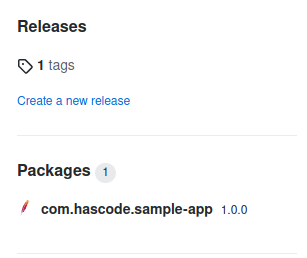
Goals Set up Maven build pipeline for a Java 11 app Release Maven artifact on GitHub using GitHub actions Setup Maven Assuming that we have a project named sample-app released for my hascode GitHub account: We’re adding some release information to our project’s pom.xml: pom.xml <?xml version="1.0" encoding="UTF-8"?> <project xmlns="http://maven.apache.org/POM/4.0.0" xmlns:xsi="http://www.w3.org/2001/XMLSchema-instance" xsi:schemaLocation="http://maven.apache.org/POM/4.0.0 https://maven.apache.org/xsd/maven-4.0.0.xsd"> <modelVersion>4.0.0</modelVersion> <groupId>com.hascode</groupId> <artifactId>sample-app</artifactId> <version>1.0.0-SNAPSHOT</version>bookmark-manager <name>sample-app</name> <description>hasCode.com Bookmark Manager</description> <scm> <developerConnection>scm:git:https://github.com/hascode/sample-app.git </developerConnection> </scm> <distributionManagement> <repository> <id>github</id> <name>GitHub</name> <url>https://maven.pkg.github.com/hascode/sample-app</url> </repository> </distributionManagement> <properties> <java.version>11</java.version> <project.scm.id>github</project.scm.id> </properties> [..] </project> ...

May 14, 2021 · 2 min · 398 words · Micha Kops

Install Docker on Linux

Goals Installing a specific Docker version on (Debian-based) Linux Freeze the version to avoid automatic updates Installation curl -fsSL https://download.docker.com/linux/ubuntu/gpg | sudo apt-key add - (1) sudo add-apt-repository \ (2) "deb [arch=amd64] https://download.docker.com/linux/ubuntu \ $(lsb_release -cs) \ stable" sudo apt-get update (3) sudo apt-get install -y docker-ce=18.06.1~ce~3-0~ubuntu (4) sudo apt-mark hold docker-ce (5) 1 Add the Docker GPG key 2 Add the Docker repository 3 Update the index 4 Install docker 5 Freeze the version to avoid unwanted automatic updates ...

May 14, 2021 · 1 min · 86 words · Micha Kops

Install Kubernetes Components - Kubeadm, Kubectl, Kubelet

Goals Install kubeadm, kubectl and kubelet on Debian-based Linux Freeze their versions to avoid automatic updates Installation curl -s https://packages.cloud.google.com/apt/doc/apt-key.gpg | sudo apt-key add - (1) cat << EOF | sudo tee /etc/apt/sources.list.d/kubernetes.list (2) deb https://apt.kubernetes.io/ kubernetes-xenial main EOF sudo apt-get update (3) sudo apt-get install -y kubelet=1.15.7-00 kubeadm=1.15.7-00 kubectl=1.15.7-00 (4) sudo apt-mark hold kubelet kubeadm kubectl (5) 1 Add the GPG key 2 Add the kubernetes repo to the sources list 3 Update the index 4 Install kubelet, kubeadm and kubectl It’s important to use the same version for kubelet, kubeadm and kubectl. ...

May 14, 2021 · 1 min · 117 words · Micha Kops

JUnit5 Java Maven Snippet

Goals Use JUnit Maven BOM for version alignment Add minimal dependencies for JUnit5 Java Projekt Setup Excerpt from the Maven project’s pom.xml: <dependencyManagement> <dependencies> <dependency> <groupId>org.junit</groupId> <artifactId>junit-bom</artifactId> <version>5.7.1</version> <type>pom</type> <scope>import</scope> </dependency> </dependencies> </dependencyManagement> <dependencies> <dependency> <groupId>org.junit.jupiter</groupId> <artifactId>junit-jupiter</artifactId> <scope>test</scope> </dependency> </dependencies> JUnit5 does not work with older versions of the Maven Compiler Plugin and the Surefire Plugin used for test execution. Setting their versions in the pom.xml is done like this: ...

May 14, 2021 · 1 min · 85 words · Micha Kops

MySQL and phpMyAdmin Setup with Docker-Compose

Goals Setup mySQL with phpMyAdmin connected using docker-compose (for development purpose) Prerequisites docker-compose installed Setup This is our docker-compose.yml: version: '3.2' services: db: image: mysql:8.0 container_name: mysql-container restart: always ports: - '6603:3306' environment: MYSQL_ROOT_PASSWORD: 12345678 app: depends_on: - db image: phpmyadmin/phpmyadmin container_name: phpmyadmin restart: always ports: - '8080:80' environment: PMA_HOST: db Running docker-compose up Starting mysql-container ... done Starting phpmyadmin ... done Attaching to mysql-container, phpmyadmin [..] We may now login using the following ultra-secure credentials ;) User: root, Password: 12345678 ...

May 14, 2021 · 1 min · 81 words · Micha Kops

Package a Spring Boot App as RPM

Goals Package a Spring Boot Service as RPM Package Configure systemd integration Add install/uninstall hooks to create users, directories etc. Maven Setup <?xml version="1.0" encoding="UTF-8"?> <project xmlns="http://maven.apache.org/POM/4.0.0" xmlns:xsi="http://www.w3.org/2001/XMLSchema-instance" xsi:schemaLocation="http://maven.apache.org/POM/4.0.0 https://maven.apache.org/xsd/maven-4.0.0.xsd"> <modelVersion>4.0.0</modelVersion> <parent> <groupId>org.springframework.boot</groupId> <artifactId>spring-boot-starter-parent</artifactId> <version>2.4.2</version> <relativePath/> </parent> <groupId>com.hascode</groupId> <artifactId>sample-app</artifactId> <version>1.0.0-SNAPSHOT</version> <name>sample-app</name> <properties> <java.version>11</java.version> </properties> <dependencies> <dependency> <groupId>org.springframework.boot</groupId> <artifactId>spring-boot-starter-web</artifactId> </dependency> <dependency> <groupId>org.springframework.boot</groupId> <artifactId>spring-boot-starter-actuator</artifactId> </dependency> </dependencies> <build> <plugins> <plugin> (1) <groupId>de.dentrassi.maven</groupId> <artifactId>rpm</artifactId> <version>1.5.0</version> <executions> <execution> <goals> <goal>rpm</goal> </goals> </execution> </executions> <configuration> <packageName>sample-app</packageName> <skipSigning>true</skipSigning> <group>Application/Misc</group> <requires> <require>java-11-openjdk-headless</require> (2) </requires> <entries> <entry> (3) <name>/opt/sample-app</name> <directory>true</directory> <user>root</user> <group>root</group> <mode>0755</mode> </entry> <entry> (4) <name>/opt/sample-app/log</name> <directory>true</directory> <user>sample-app</user> <group>sample-app</group> <mode>0750</mode> </entry> <entry> (5) <name>/opt/sample-app/sample-app.jar</name> <file>${project.build.directory}/${project.build.finalName}.jar</file> <user>root</user> <group>root</group> <mode>0644</mode> </entry> <entry> (6) <name>/usr/lib/systemd/system/sample-app.service</name> <file>${project.basedir}/src/main/dist/sample-app.service</file> <mode>0644</mode> </entry> </entries> <beforeInstallation> (7) <file>${project.basedir}/src/main/dist/preinstall.sh</file> </beforeInstallation> <afterInstallation> <file>${project.basedir}/src/main/dist/postinstall.sh</file> </afterInstallation> <beforeRemoval> <file>${project.basedir}/src/main/dist/preuninstall.sh</file> </beforeRemoval> <license>All rights reserved</license> </configuration> </plugin> </plugins> </build> </project> ...

May 14, 2021 · 3 min · 567 words · Micha Kops